Keep coaching at the center.
Record the lesson and your share is paid together every week. Leave the admin to the app and keep your time for your students. Coach sign-up is by invitation for now; leave your email and we will tell you when public applications open.
Paid together, every week
When a lesson is finished, your share is added. Payouts go out together every Monday at 12:00 (Japan time).
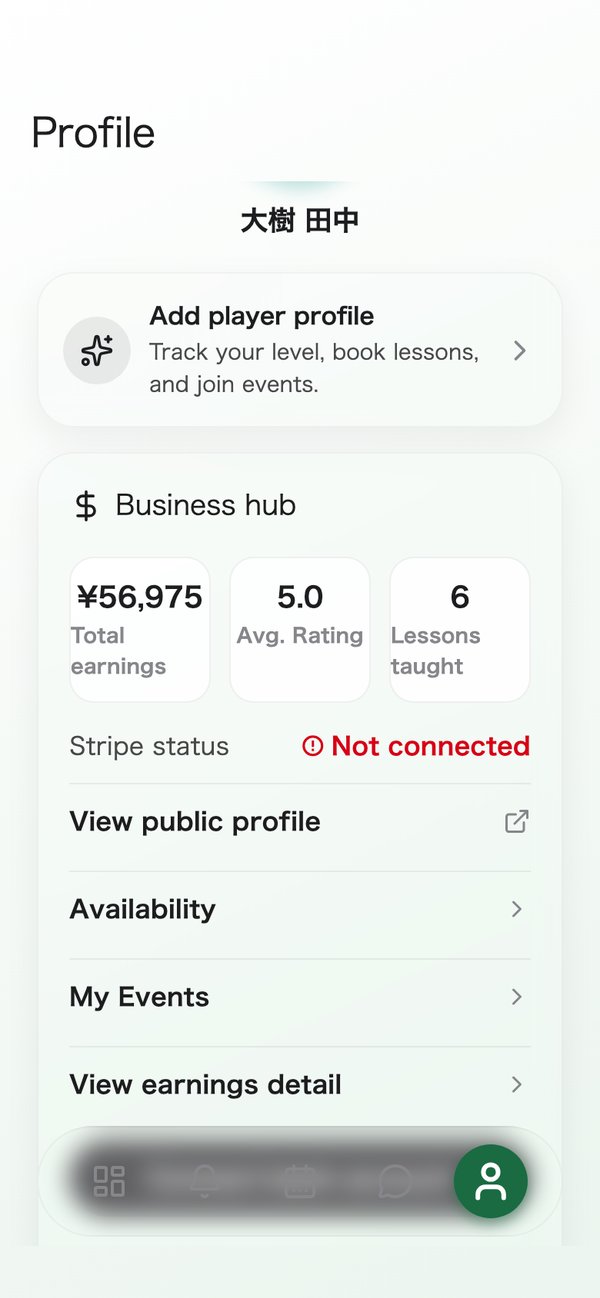
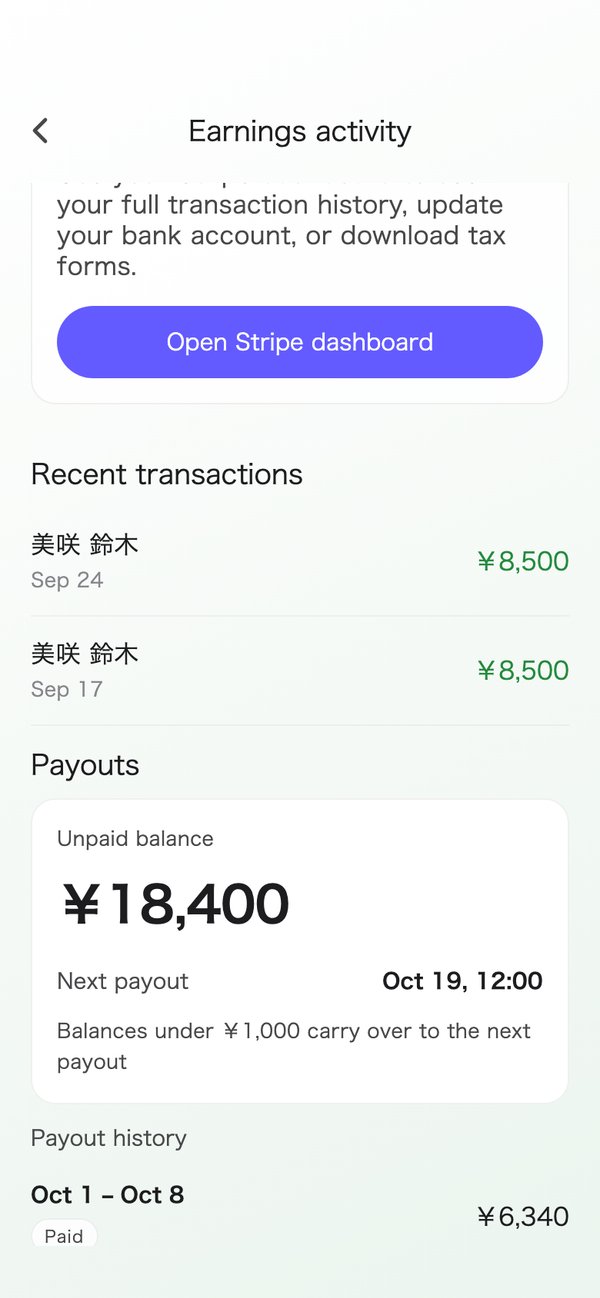
- The earnings screen shows your unpaid balance, your next payout and the payout history.
- Expenses such as travel can ride the same payout (bookings made through a school qualify).
- To receive payouts you need to connect a bank account with Stripe.
Teach at your own pace
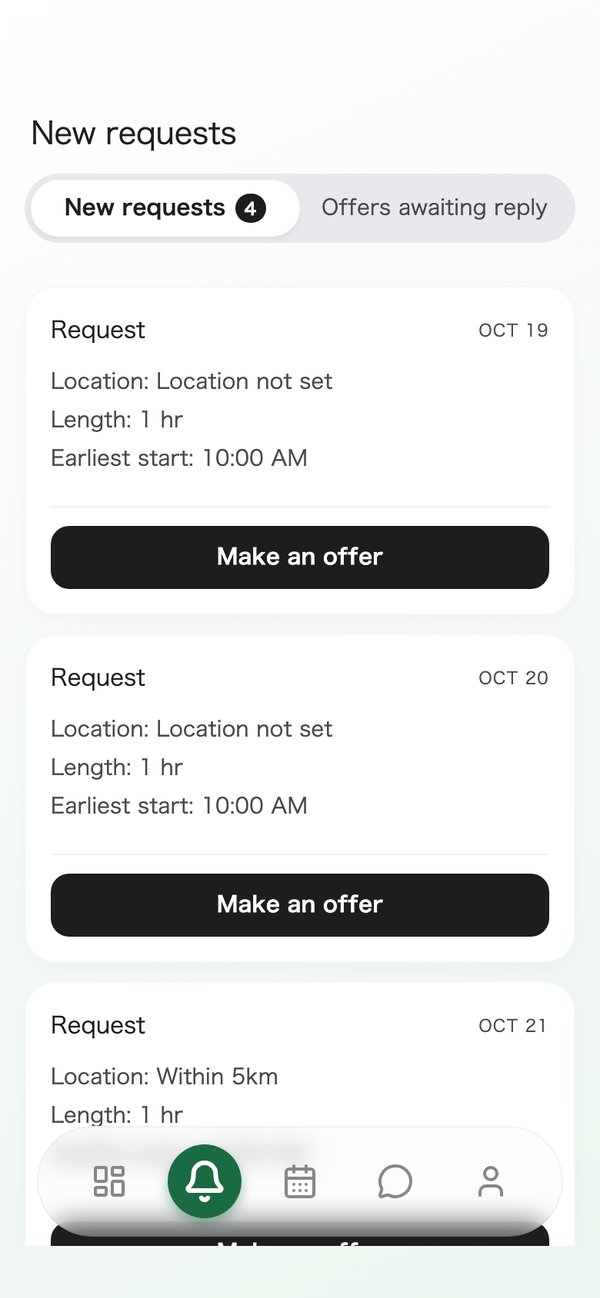
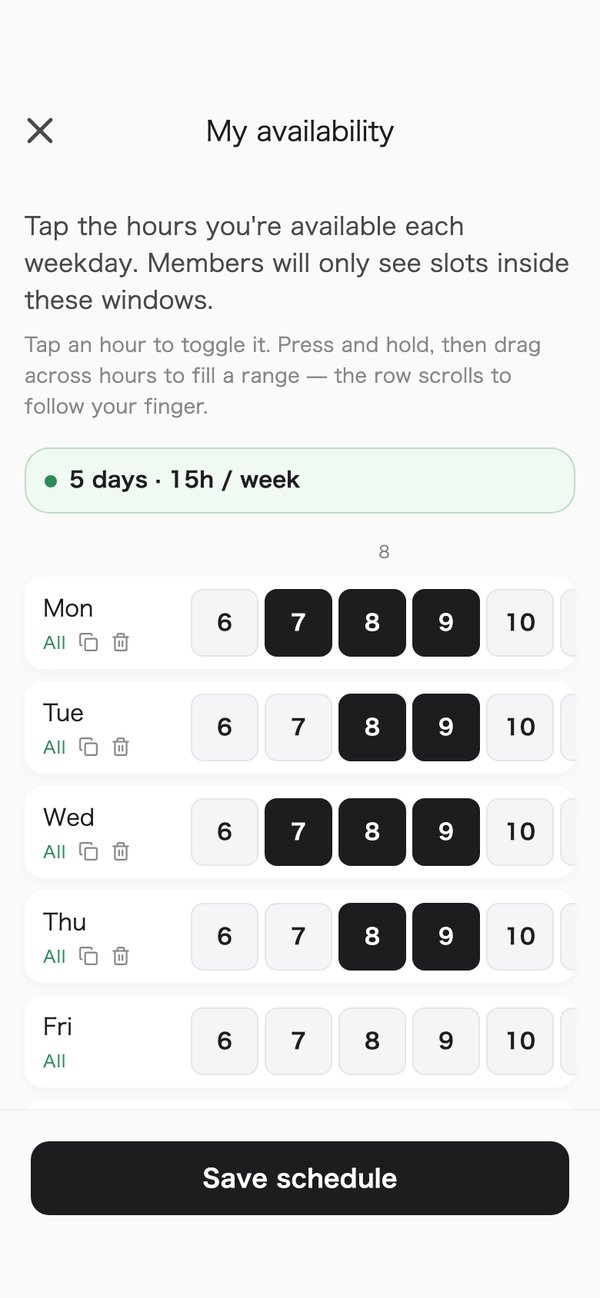
Choose your free hours for each day of the week, and send offers only on the requests you want.
- Requests are listed by place and time in the Requests tab. You open it to check.
- An offer is the times you can do, picked by the hour for each day. You can change or withdraw it before the member picks.
Leave the admin to the app
Recording the lesson and claiming expenses both happen on your phone.
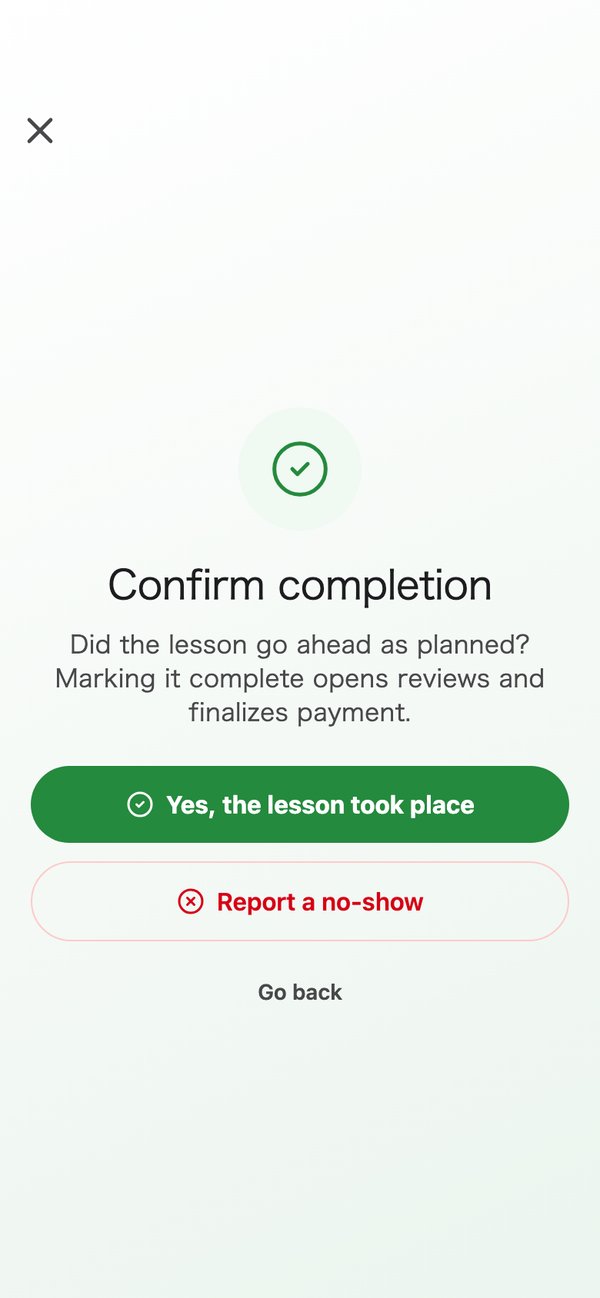
- After the lesson, tap Record as done. The app handles the charge and works out your share.
- Forgot to record it? Six hours after a lesson ends, it is marked done automatically, even if no one has recorded it.
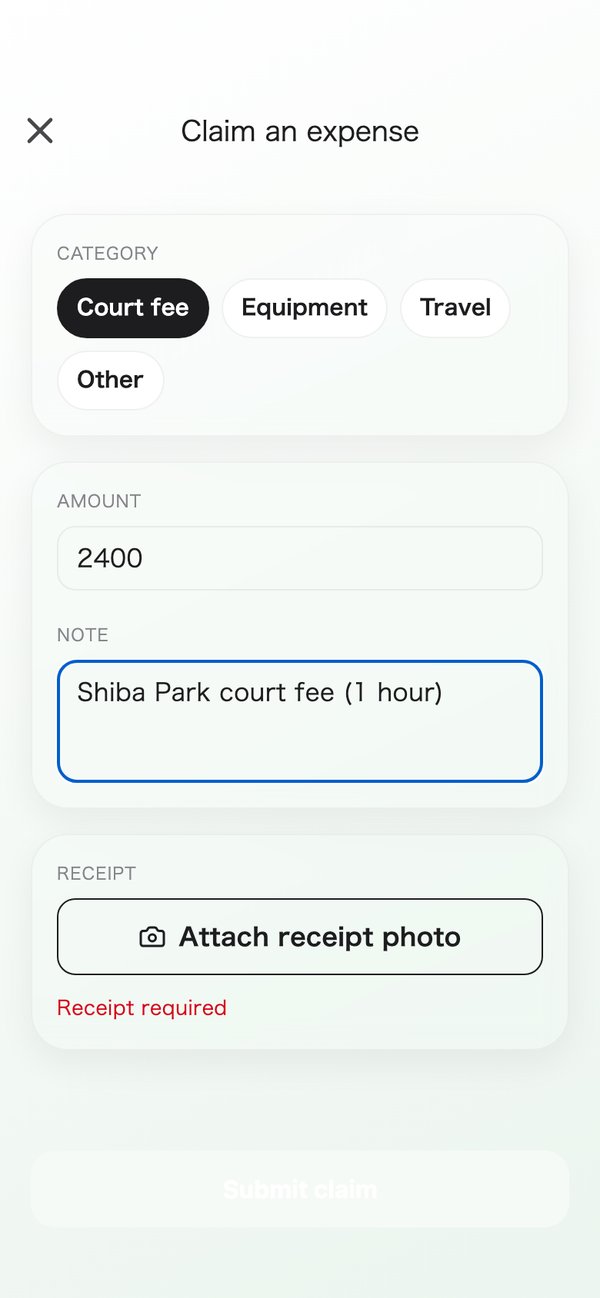
- Claim an expense with the type, the amount and a photo of the receipt.
Watch your students grow
The feedback you write after a lesson shows what to work on next. It applies to bookings made through a school (entered by the office, or recurring lessons), not to lessons a player requests in the app.
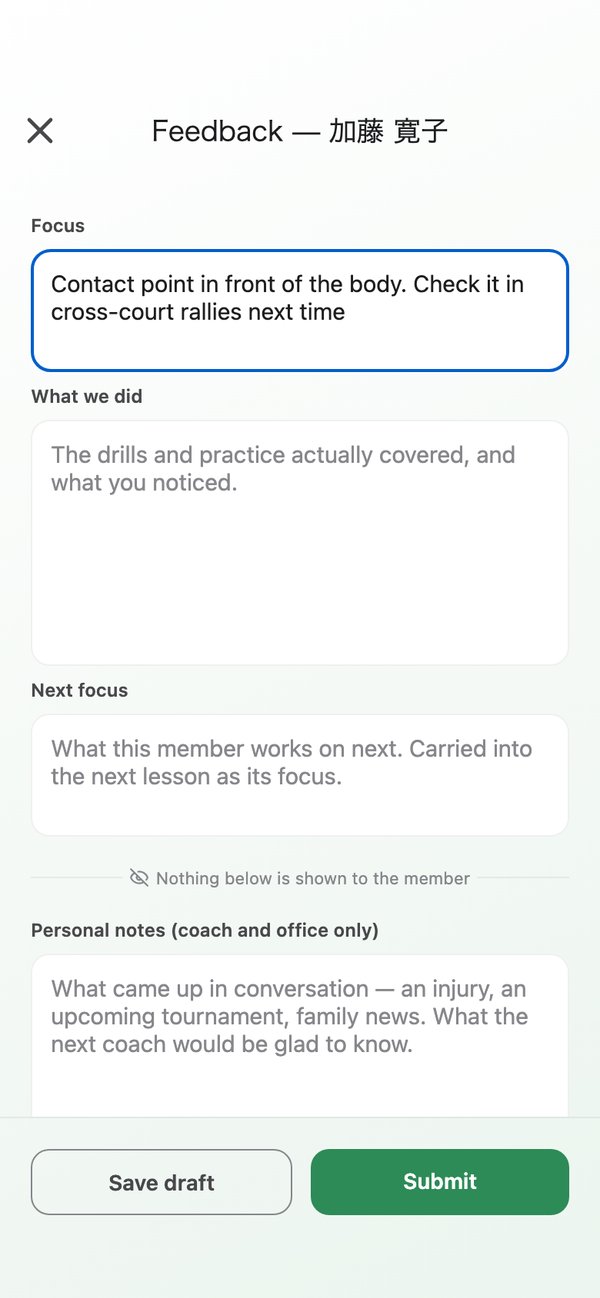
- From the second lesson on, last time's next focus fills in for you.
- The member sees the focus, what was done and the next focus. Internal notes are seen only by you and the school office.
- If you edit it after submitting, the earlier version stays in the history.
Be found, and be welcomed
Players can see the introduction and qualifications on your profile. A school invitation can make you part of its team.
- Players read your introduction, qualifications and reviews to get to know you.
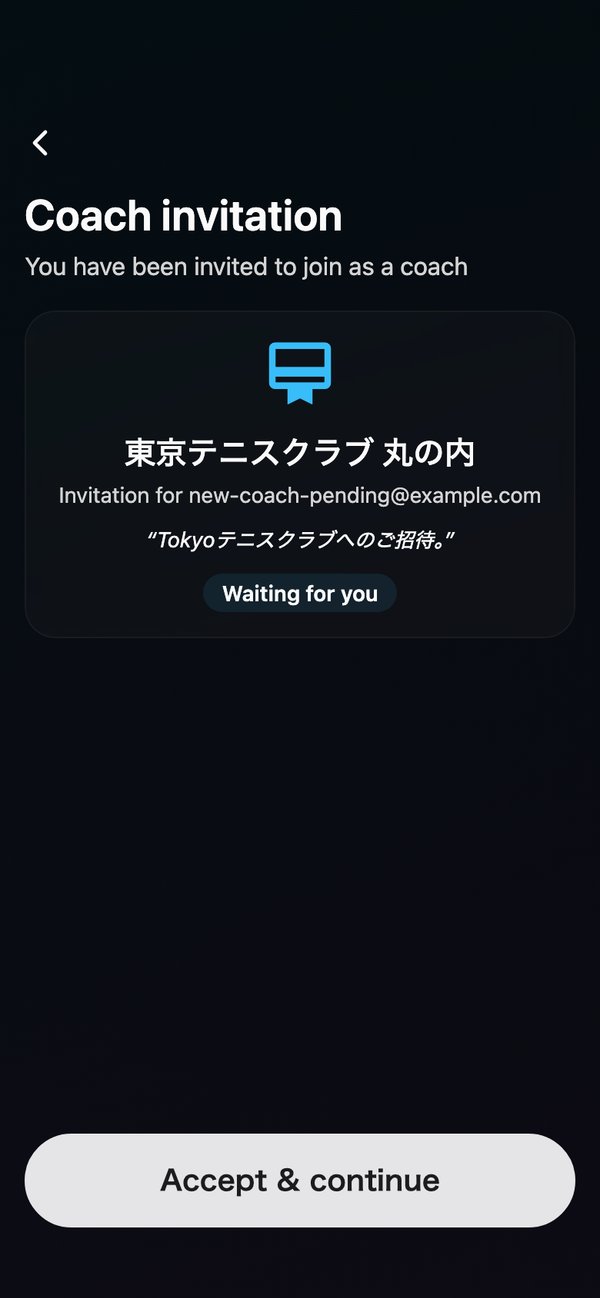
- A school sends you an invitation. When you first sign up, enter the invitation code to join.
- To teach at another school, you can ask to join it from the app. The school decides.
The work flows in three steps
- 1See requests and send offers
- 2When a booking is made, teach the lesson
- 3Record it as done and get paid on Monday
The details: payouts, expenses and how to start
Payout rules
- A finished lesson sets the amount, and payouts go out through Stripe. Until you connect, your earnings wait as a balance.
- A week whose total is under the minimum (currently ¥1,000) rolls over to the next week. So does a week that comes out negative.
- If a lesson is refunded, your share is cancelled before it is paid out, or taken from the next Monday payout after.
- If the member does not show up, or you cancel for your own reasons, no share is added.
- The school sets your share. The app does not show you your own rate yet.
Expense rules
- Claim from the booking details. Choose a type (court fee, equipment, travel or other), then enter the amount, a note and a photo of the receipt (required).
- Once the school approves it, it joins the next Monday payout. While it is under review, you can withdraw it.
- The app does not tell you yet when a claim is approved or rejected, or why.
Request and offer rules
- An offer is valid until the earlier of 24 hours after it is sent and the start of the first time offered.
- The New requests tab lists requests by place and time. New requests do not send a push notification or an email, so open the tab a few times a day.
How to start
Coach sign-up is by invitation for now. A school sends you an invitation.
- The invitation is valid for 7 days. Enter the invitation code when you first sign up.
- Add your introduction and qualifications, then choose your free hours for each day of the week. You cannot yet mark a single day off.
What is not there yet
We would rather tell you now. The app does not do the following yet.
- Push notifications for requests, assignments and chat
- Marking a single day off
- Showing you your own share rate
- Telling you when an expense is approved, or why it was rejected
- A breakdown of each payout (expenses and deductions)
- Cancelling a lesson for rain from the app (contact the school office)
Join the waitlist
We'll let you know as soon as public applications open.
For launch updates or questions, email info@tennipro.com