Less admin. More time on court.
Bookings, recurring lessons, courts and coach pay, gathered on one screen instead of scattered across tools and messages. There are ways in for new coaches and players too.
Daily bookings and courts, on one screen
Add the booking that came by phone or message. Watch the deadlines on the courts you hold. The office starts each day here.
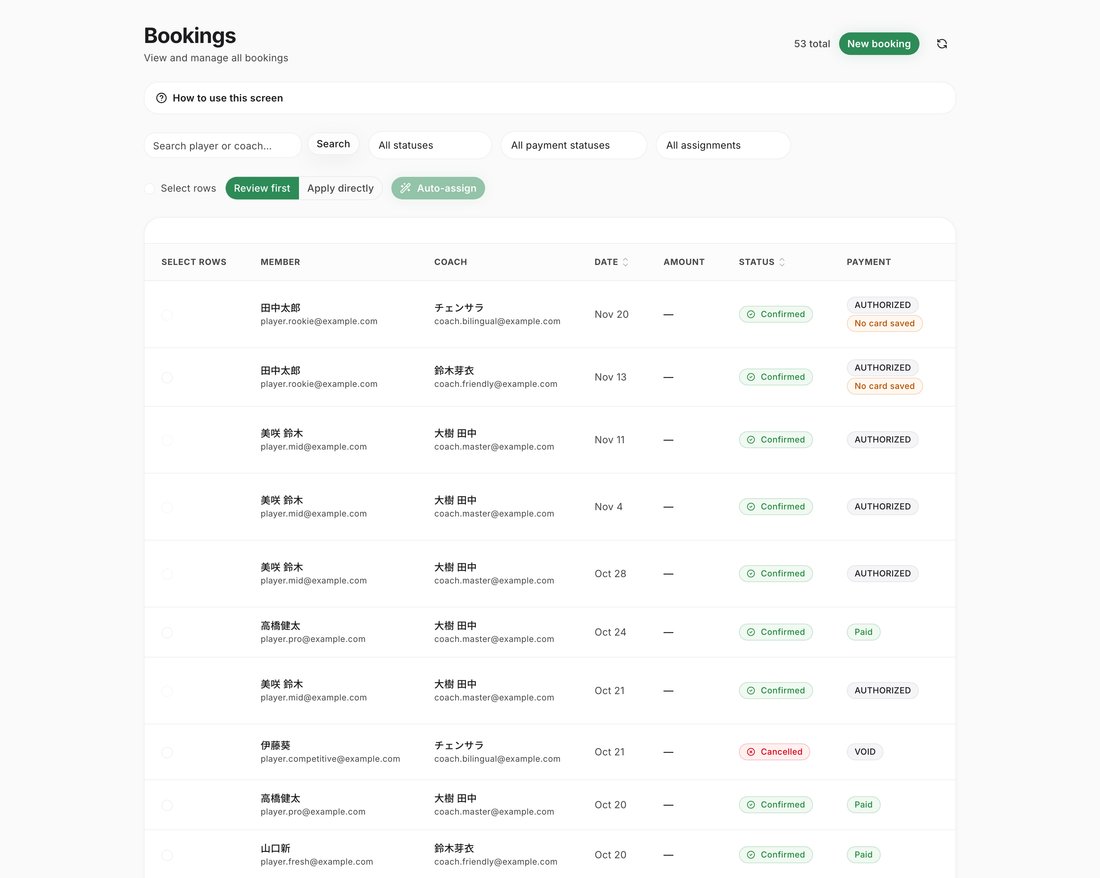
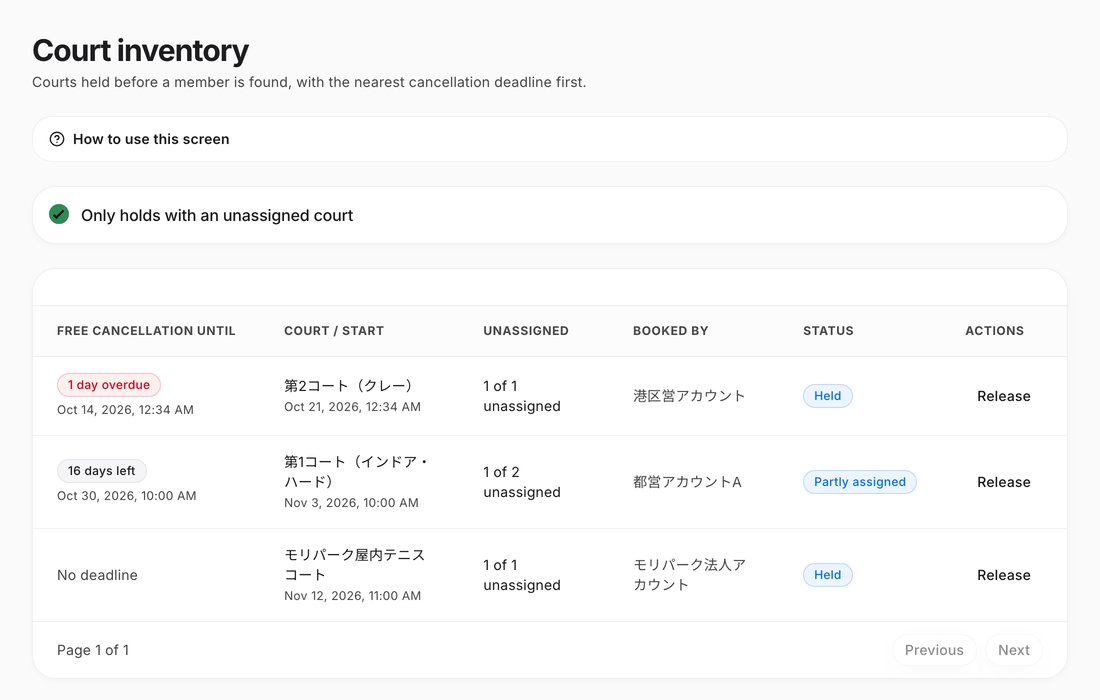
- Add a booking by choosing the member, the time, the coach and the court. If it overlaps another booking, it is not saved.
- Held courts are listed by the nearest free-cancellation deadline. Staff are notified 3 days before, 1 day before, and once the deadline has passed.
Weekly lessons book themselves
Create a series and its weekly lessons are booked for you. The office sets it up, not the coach.
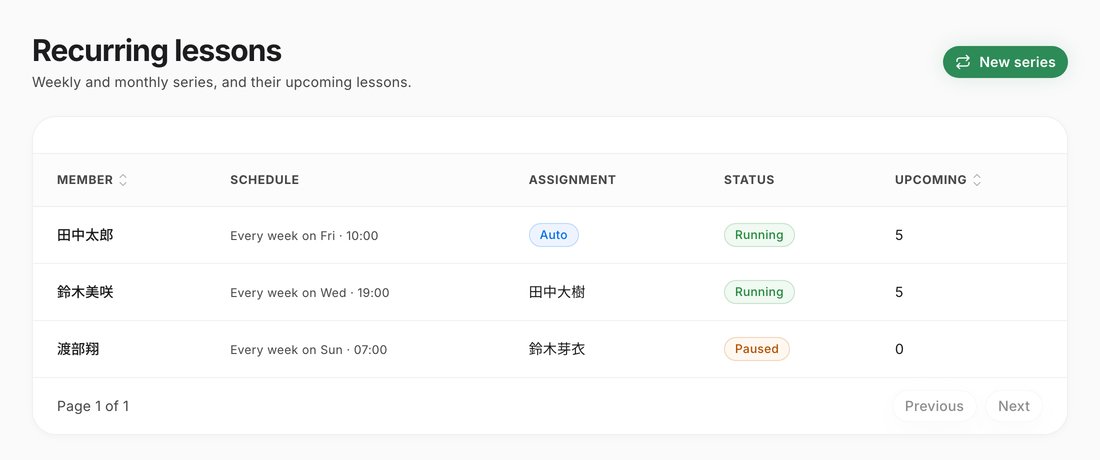
- Create a series with the member, the day, the start time and the start date.
- For a single lesson you can skip it, or change the time or the coach.
- Add a closure day and no bookings are created for it.
Pay your coaches from here too
Bookings made in the app, bookings the office enters and recurring lessons are all charged to the member’s card after the lesson. Coach shares are paid out automatically every Monday.
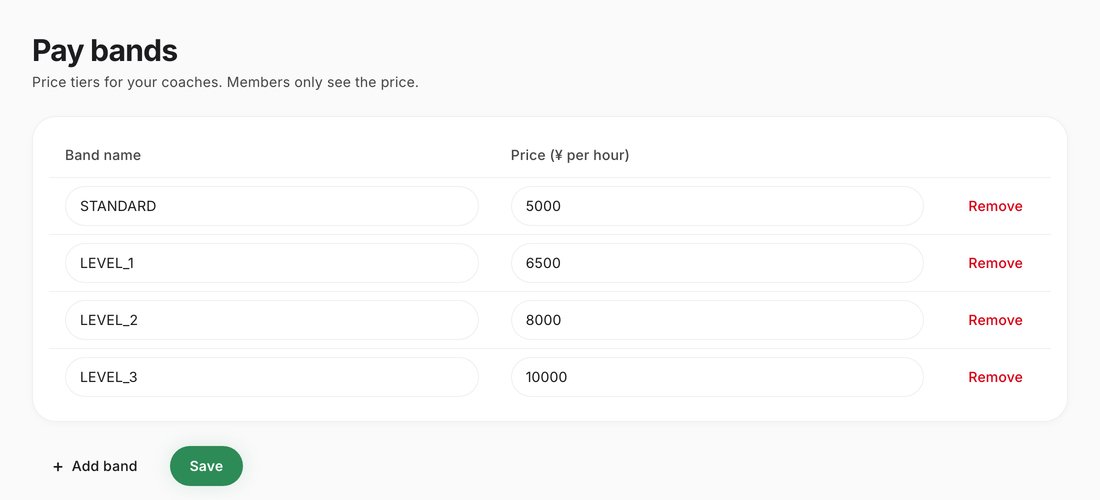
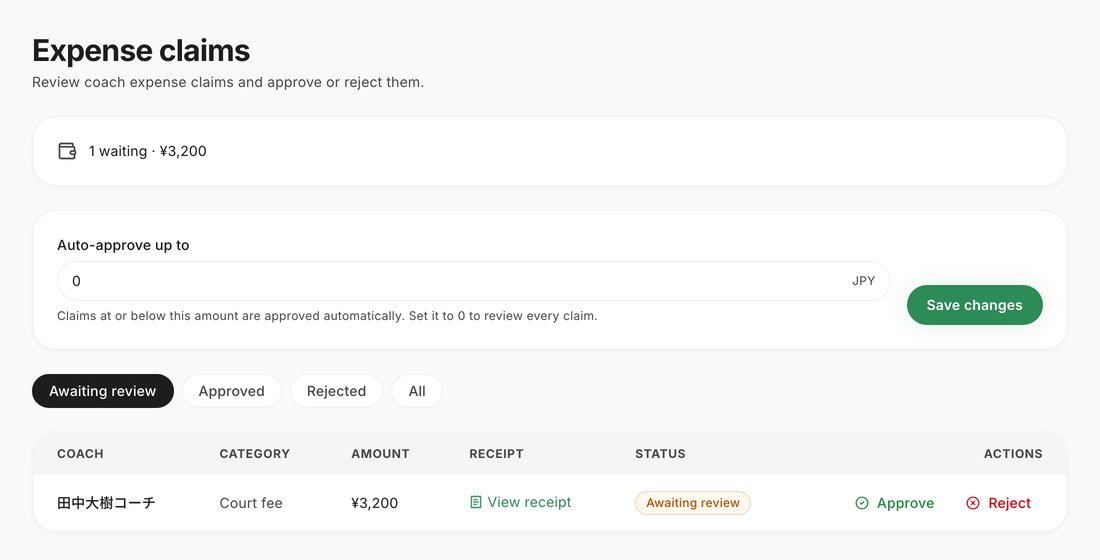
- Set a pay band for each coach at your school.
- The screens show the unpaid balance and the payout history.
- For expenses such as travel, you check the receipt and approve or reject. You can also set an automatic approval limit.
Give staff only the access they need
For anything that moves money, you decide per staff member. Only the owner can invite staff and set permissions.
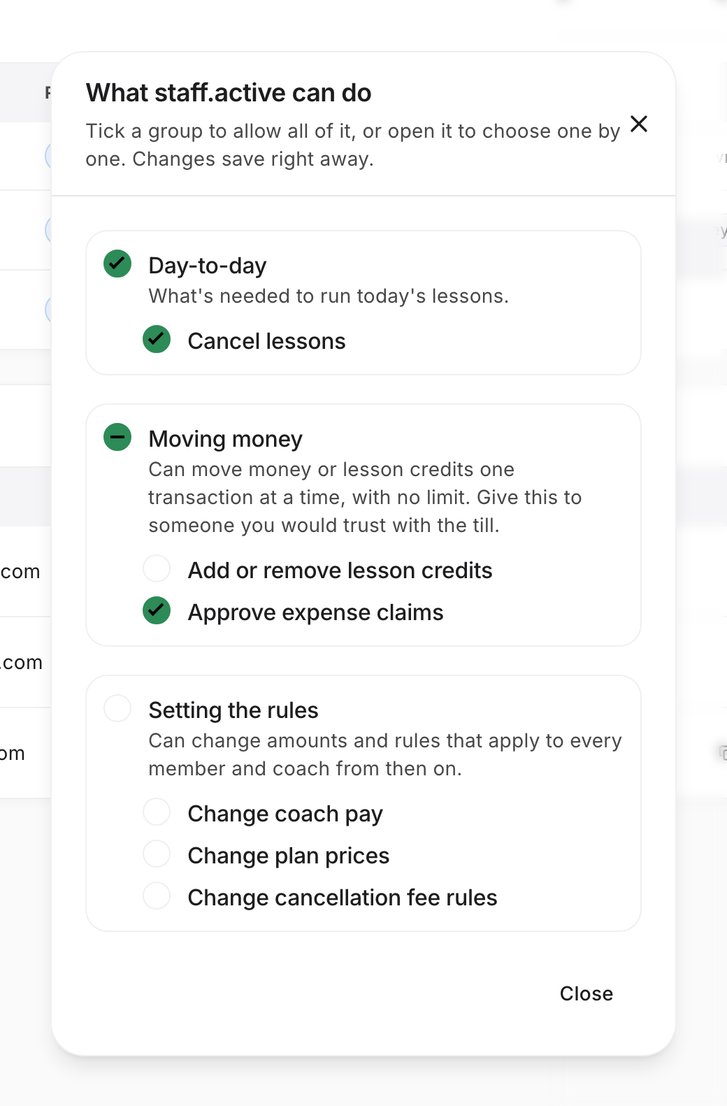
- Approving expense claims, coach pay and cancellation fee rules are covered by permissions.
- A newly invited staff member can only cancel bookings at first.
A way in for new coaches and players
There is a way in for new coaches and for players. Requests that come in show up on the same screens.
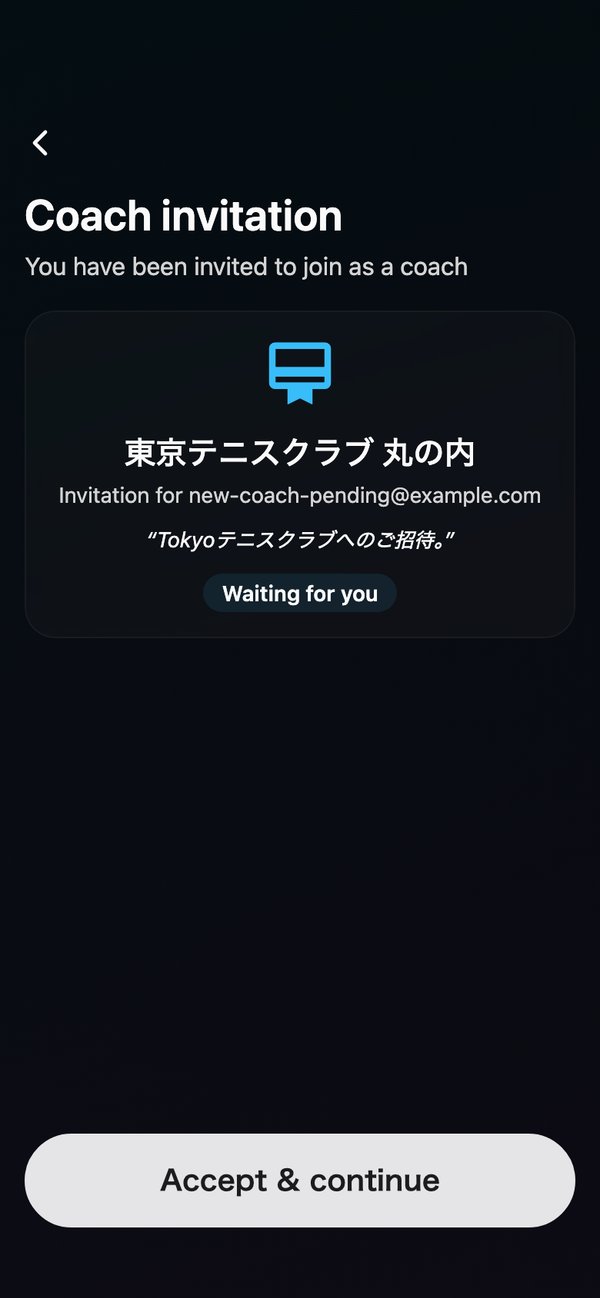
- Invite coaches (valid for 7 days).
- Receive join requests from coaches in your inbox. The school decides whether to accept.
- Players can search for your school in the app and ask to join. The request lands in your inbox and the school decides.
- Open group lessons and events for players to sign up for.
A partnership takes three steps
- 1Talk to the Tennipro team
- 2Invite your coaches and set pay bands
- 3Start entering bookings and go live
The details: cancellation, recurring lessons, pay and permissions
Cancellation depends on the cause
Choose a reason and the default for who bears the court cost fills in. You can change it.
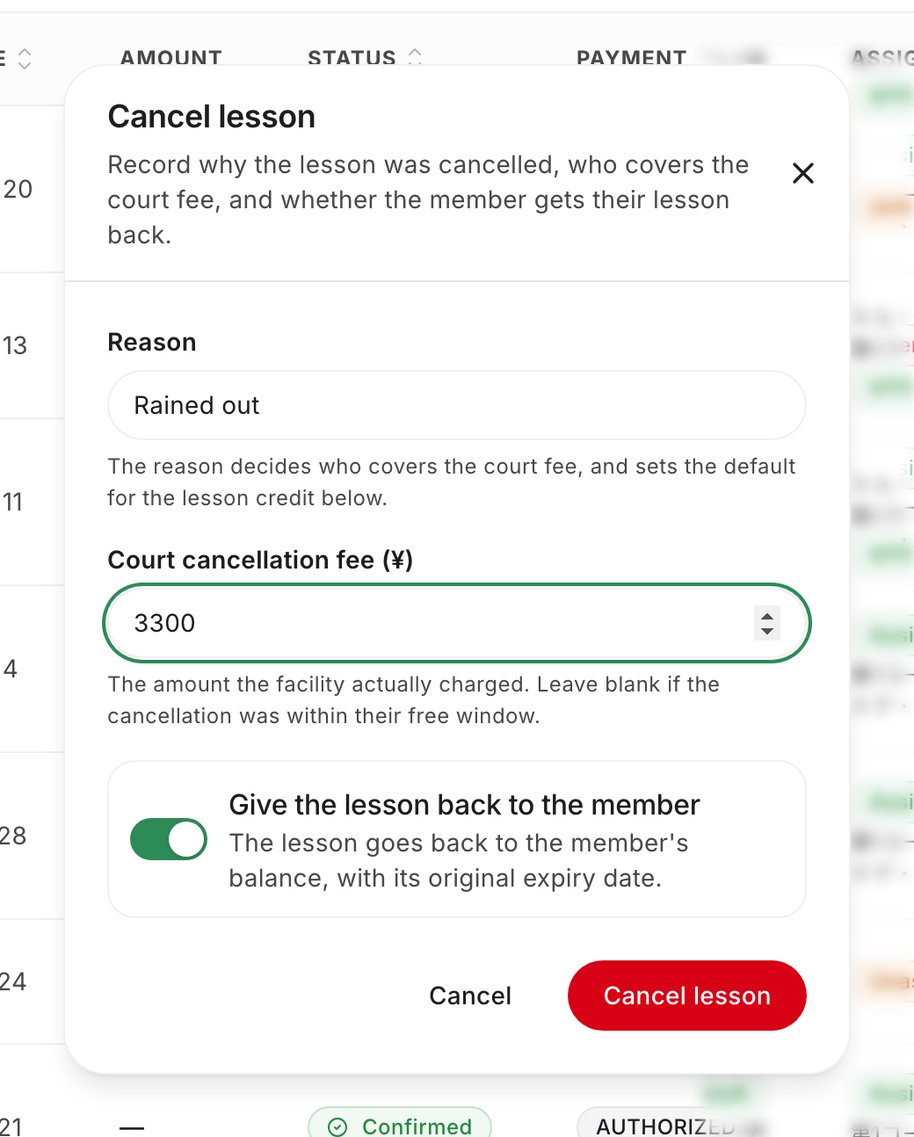
- When the office cancels, the member pays nothing for the lesson. A paid lesson is refunded, and an uncharged one is dropped.
- The reason and who bore the court cost are recorded on the booking.
- When the coach bears the cost, it is taken from the next Monday's payout.
| Reason (default) | Court cost borne by |
|---|---|
| Rain | School |
| Illness or injury | School |
| Office error | School |
| Member’s own reasons | Member |
| Coach late | Coach |
| Coach unwell | Coach |
Following up on feedback, and releasing courts
Coaches write the feedback. The office follows up on what has not been submitted.
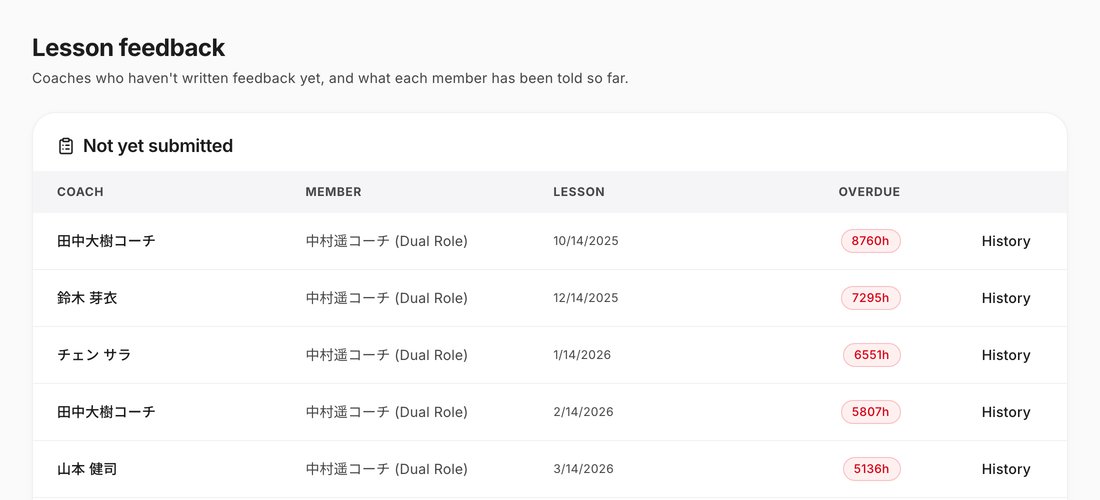
- Past the deadline (24 hours by default), the coach gets one reminder. The office is not notified.
- Courts are not released automatically. The office presses Release for the ones it will not use.
Recurring lesson rules
- After you create a series, bookings are created automatically every 6 hours, and payment runs automatically too.
- A skipped lesson is not charged.
- Add a closure day and no bookings are created for it.
- There is no resume button yet after you pause a series.
Pay rules
- A change to a pay band only affects future payouts.
- Approved expense claims join the next Monday payout.
- A booking the office enters is also charged automatically to the member’s saved card when the lesson is completed, and the coach share is recorded. If the member has not saved a card, nothing can be charged, so the bookings list shows a warning.
- The price of a booking the office enters comes from the school’s Standard pay band (or, once a coach is assigned, that coach’s band). With no band, nothing can be charged.
Permission rules
- Creating bookings, assigning coaches, releasing courts, recurring lessons and approving join requests can currently be done by anyone, with or without permission.
What is not there yet
We want you to know this before you start. Tennipro does not do the following yet.
- Taking bookings from LINE automatically (the office enters them)
- Notifications and reminders to the member and coach for bookings the office enters
- School membership sign-up (no screen can do it today)
- Changing the date of a one-off booking (cancel and book again; the office can change recurring lessons)
- A screen to add court inventory and assign it to bookings
- Managing trial lessons, and reminder wording by condition
Pricing depends on your school's size and how you run it. Tell us what you need.
Talk to us about a partnership
The Tennipro team will reply by email.
For launch updates or questions, email info@tennipro.com